


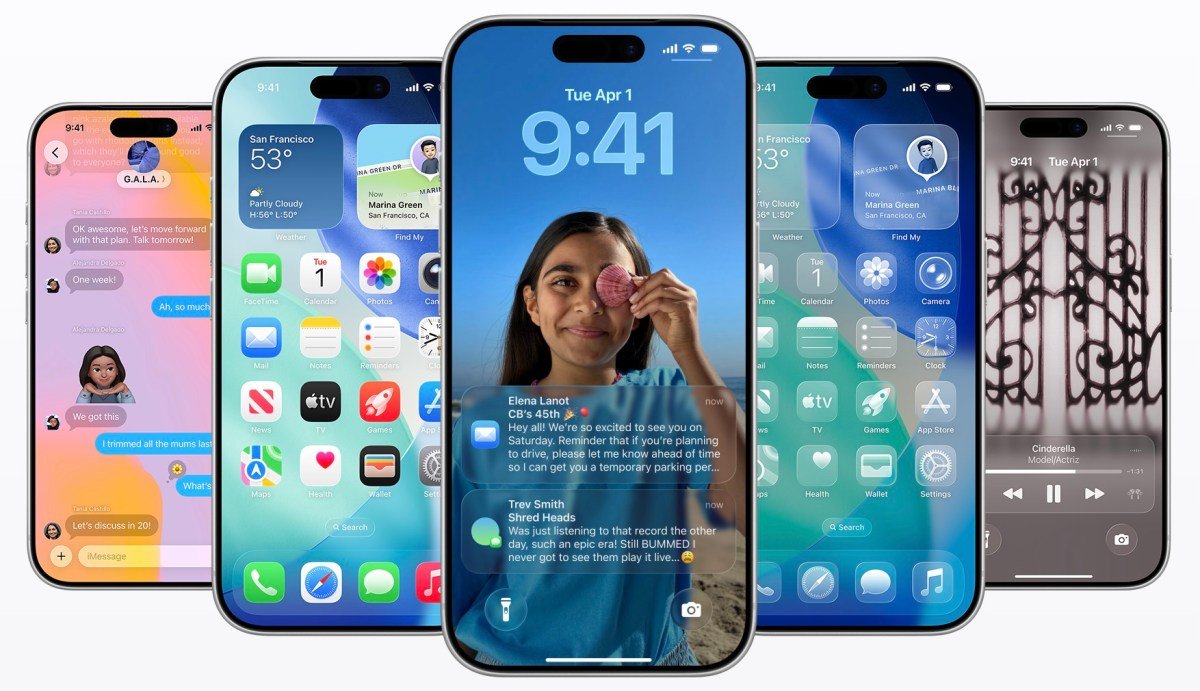
Apple this week released the latest version of its mobile operating system, iOS 26.4which introduces many new features, including an AI-powered playlist creation feature in Apple Music, support for video content in the Podcasts app, end-to-end encryption (E2EE) for RCS messages, and more.
The update is currently available in public beta, with a public release expected sometime in March or April.
Apple Music’s AI playlist
One of the most notable improvements comes to Apple Music — iOS 26.4 introduces a new AI-powered ‘Playlist Playground’ feature that leverages Apple Intelligence. The feature allows users to create a custom playlist of 25 songs from a text prompt, such as “upbeat workout mix” or “calm night.” Users can then refine the results further and even select the corresponding cover.
Additionally, Apple Music’s user interface has been revamped to display full-screen artwork for albums and playlists.
Concerts near you
Additionally, Apple Music is getting a new “Concerts Near You” section that helps users discover live shows from their favorite artists. You can filter this section by date and genre, or change locations if you’re traveling.

Apple Podcasts video episodes
After Spotify’s push for video, Apple’s Podcasts app makes it easy switch between audio and video episodes with this version. Creators can publish video podcasts using HTTP Live Streaming (HLS), and listeners can seamlessly switch between audio and video playback within the same episode, going full landscape if desired.

At launch, video episodes will be integrated with other Apple Podcast features, such as personalized recommendations and editorial curation on the New Tab and Category pages, just like audio podcasts.
HLS also brings an automatic quality adjustment feature, which helps videos play better whether listeners are on Wi-Fi or mobile. Additionally, users will be able to download video episodes for offline viewing. At launch, HLS is supported by Acast, Amazon’s ART19, Triton’s Omni Studio and SiriusXM, including SiriusXM Media, AdsWizz and Simplecast.

Creators will also be able to dynamically insert video ads, including reading points from hosts, into their podcasts. Apple doesn’t charge creators for podcast distribution, but says that starting later this year, participating ad networks will have to pay an impression-based fee to deliver dynamic ads on HLS videos.
Encrypted RCS messages
Messaging also gets a major upgrade with encrypted Rich Communication Services (RCS), which begins testing in iOS 26.4. End-to-end encryption for RCS chats will one day help ensure that messages between iPhone users and Android users are as secure as iMessage.
For now, Apple is only testing it between iPhones in beta. These conversations will be marked as encrypted and cannot be read when sent between devices. The company notes that the feature will be released publicly in a later software update for iOS, iPadOS, macOS, and watchOS, and the beta is not available for all devices and carriers.
Stolen device detection is enabled by default
Security improvements are another feature of iOS 26.4. Stolen device protection is now enabled by default, adding an extra layer of biometric authentication for sensitive actions like accessing saved passwords or making certain account changes. By requiring Face ID or Touch ID authentication in more scenarios, Apple reduces the risk of unauthorized access if a device is stolen and the password is compromised.

CarPlay adds in-car video playback
Drivers using Apple CarPlay will also notice changes. CarPlay now supports video playback in the car for select apps — including the Apple TV app — but only when the vehicle is parked to ensure safety. This improvement introduces new entertainment options for passengers when they are stopped or while waiting in the car for a period of time. (Great for parents in the school pickup line!)
Third-party AI services are coming to CarPlay
CarPlay for the first time will offer access to third-party AI services such as OpenAI’s ChatGPT, Google’s Gemini and Anthropic’s Claude.
Audio zoom in camera app

Meanwhile, the Camera app introduces audio zoom. When recording video, the microphone focuses on the subject as you zoom in, reducing background noise and improving clarity. This feature makes it easy to capture speeches, performances or interviews without external audio equipment.

In addition, the Ambient Music feature is now accessible via a widget, allowing users to instantly play soundscapes designed for focus, sleep or relaxation directly from the Home screen, instead of only from the Control Center as before. The feature, first was introduced in iOS 18.4, added a variety of ambient sounds to stream in categories like Sleep, Relax, Productivity, and Wellness.
“Urgent” reminders
There’s also a new “Urgent” section in the Reminders app that groups high-priority tasks together and can trigger more prominent notifications when deadlines approach. Setting a reminder as Urgent will add an alarm so you can be sure you don’t miss the event.

And more…
Some other smaller features include the following:
- A new unified Apple Account hub across the App Store, Apple Music and other Apple apps replaces the previously used “profile” feature.
- A new one animation it’s in the Messages app when you’re composing a message.
- A updated wallpaper gallery separates the different categories in a new way. a similar design came to the Apple Watch Face Gallery. The new version includes sections for Weather, Astronomy, Emjoi and more, among other changes.
- Apple Music lets you add songs to multiple playlists at once.
- The Health app he adds a new metric: Average Sleep Time, which shows the average time you went to bed over the past two weeks. The Vitals section was too updated to include a blood oxygen level in the daily chart.
- Freefrom adds a Content Hub for Creator Studio subscribers, providing access to new AI features and high-quality art. Its icon has also been updated.
- The Personal Hotspot feature now includes a Data Usage section that shows how much data has been sent to your device and which Apple and non-Apple devices have used your data.
- Live Subtitles adds support for Chinese (Taiwanese) in the language options.
- There is a new “Set Battery Charge Limit” action in Shortcuts.
- The App Store search bar is back at the top of the screen.
- The iCloud.com link gets a larger, featured section in the iCloud section of the Settings app. Before, there was only a toggle to “Access iCloud data on the web”. Now it’s more like a big advertisement for iCloud.
Noticeably absent from this release is a next-generation Siri experience. While Apple has signaled deeper AI ambitions for its voice assistant, those bigger changes aren’t showing up in iOS 26.4, reportedly delayed once again.
