


It’s hard to spend an hour or two on YouTube without encountering an ad or paid promotion for a VPN subscription service like NordVPN, ExpressVPN or Surfshark. The companies behind these services usually tell you that a VPN is a great way to browse the web securely and privately. It also allows you to watch geo-blocked content, circumventing censorship in China or explore the Internet without revealing your IP address. Sometimes they even claim that VPNs can help protect your data.
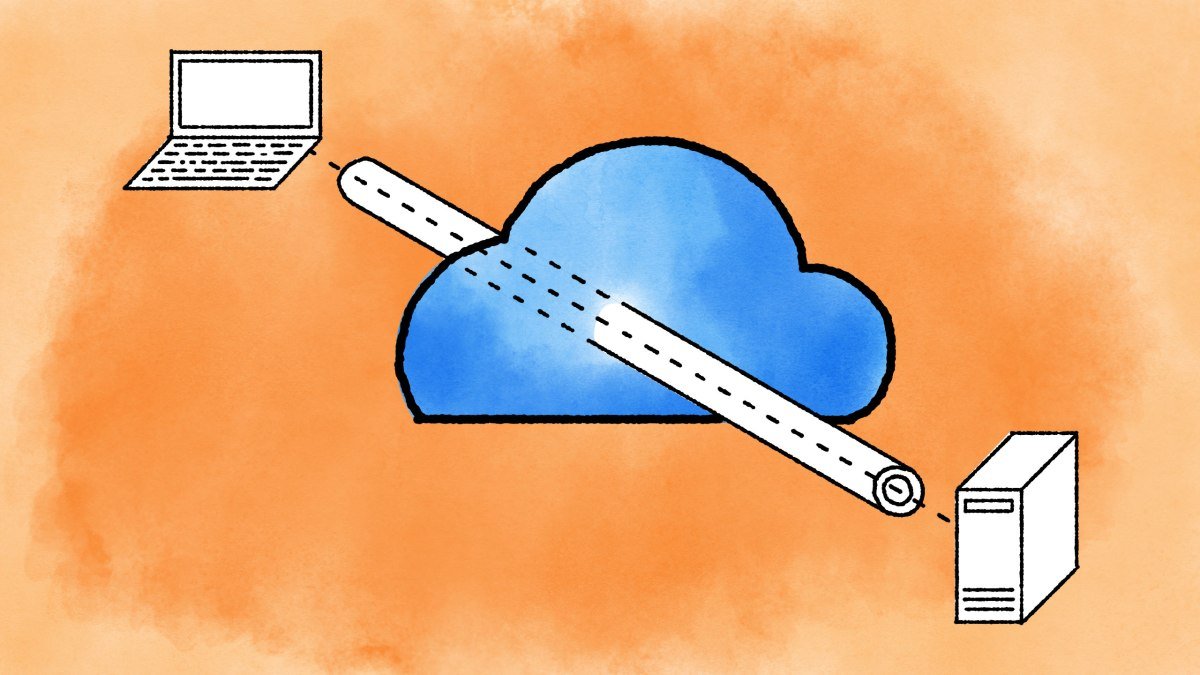
But the reality is that VPNs are only useful for very specific use cases. A VPN is like a tunnel connecting two locations. Originally designed to connect people working from home to the office network or as a way to connect multiple offices to the same network, VPN use cases have changed in recent years. Many people now use it to browse the web through this encrypted tunnel believing it is a way to avoid surveillance.
We break down what VPNs do and don’t do, because using a VPN can be just as dangerous as not using one if you don’t know what you’re doing.
What is a VPN?
A VPN is a virtual private network. Allows you to remotely connect to a private network. For example, your office might use a VPN for remote workers. This way, you can create a connection to your company’s intranet and use your computer as if it were in the office. Are you practically in the office, just like when you connect to the company Wi-Fi network with your laptop.
If you have many computers, phones and tablets at home, you use a local network. These devices are all connected to the same Wi-Fi network (or with an Ethernet cable), and you can even transfer photos or movies from one computer to another without using the internet. LANs are private networks by design.
Using a VPN is quite simple. Typically, a company or individual installs a VPN server on a computer at the office, home, or data center. Users with the correct credentials can then connect to that server using a VPN client — that client is an application running on your device. There are many VPN clients out there for computers, servers or routers. There are even mobile VPN clients for smartphones. Windows, Android, iOS, and macOS also have a basic VPN client in your device settings.
Let’s say you create a VPN connection on your computer. Your computer and the VPN server will initiate a point-to-point connection, and all of your network traffic will go through that connection. Think of this connection as a tunnel between your computer and a server. This tunnel is usually encrypted and everything goes through the tunnel, from one end to the other.
Do I need a VPN?
There are several reasons why you might think you should use a VPN. Maybe you want to work from home and have access to the file servers and internal tools you regularly use in the office. Or if you live in a country with internet restrictions, a VPN could be used to bypass censorship. Or maybe you just want to access a video streaming service that isn’t available in your country.
Many of you have probably started using a VPN for work for the first time, especially when working from home. There are a few advantages to using a VPN for a company. For example, it allows employees to access office servers that are not connected to the internet, since you are all connected to the same private network. Back to the days before cloud hosting Microsoft 365 servers or Google Workspace, many companies managed their own email and calendar servers. IT services could force you to connect to the company’s VPN first to access your email and calendar events. It’s a good way to protect sensitive information.
But office environments aren’t the only use case for a VPN. If you live outside the US, you know that a VPN can save the day when you’re trying to stream an HBO show on Max or access Netflix’s anime library in Japan. Even if you’re just traveling for work or vacation, many streaming services restrict you from using them abroad.
Many companies provide access to a bunch of servers around the world so you can pretend you’re in another country. As I told you, once you set up a VPN connection, all network traffic goes through a tunnel and Max’s servers will think they are sending data to a client in the US. They do send data to an American IP address (the server’s address), but everything is then sent through the VPN tunnel to your device on the other side of the world.
Sometimes, the VPN server doesn’t have enough bandwidth to upload the movie through the tunnel in good resolution and your movie will look like crap. Sometimes content companies like Netflix try to ban IP addresses belonging to known VPN servers, making this trick useless.
And finally, if you’ve traveled to China or another country that blocks many Internet services, you rely on a VPN to log into Gmail, Facebook, or Wikipedia. China blocks websites at the network level. You must connect to a VPN server outside of China to access these sites. Just like Netflix, the Chinese government is trying to ban the IP addresses of popular VPN services, making it more difficult to establish a reliable connection to a server outside of China.
Reasons why you don’t need a VPN
But there are also some disadvantages. When you use a VPN connection, all network traffic goes through the VPN, including your Internet traffic. Your company’s IT department could enforce strict browsing rules and prevent you from using YouTube. Or they could even track and record your internet browsing habits to come up with a good excuse to fire you later (too much Reddit, kthxbye).
When you use a VPN to change your country, avoid censorship, or secure your connection at a coffee shop, the VPN server on the other end can see all your network traffic. You’re just moving the risk down the VPN tunnel, and it can be quite dangerous if you’re not careful enough.
Let’s assume that all the free VPN apps you see on the App Store and Google Play are free for a reason. They will analyze your browsing habits, sell them to advertisers, insert their own ads on unsafe pages, or steal your identity. You should avoid free mobile VPNs at all costs.
As for the paid options, some of them promise you internet privacy for $5, $10 or $15 per month. But look at the privacy policy and terms of service first. I have seen many VPNs that record your internet traffic, share information with law enforcement and more. Read the fine print.
And even if the privacy policy looks good, you should trust them blindly, as it is difficult to verify that they actually do what they promise to do. In many cases, a secure home connection to a guest WiFi network that only allows your friends to access the Internet is better than connecting to some random company’s VPN server. You don’t want to give a stranger the keys to your house even if they say they promise not to break into your house.
Likewise, you shouldn’t trust a VPN company that doesn’t have a public-facing leadership team and that doesn’t publicly publish security audits of its infrastructure and applications by well-known cybersecurity groups. You should also not trust VPN comparison sites, as they are often financially motivated to promote one service over another.
Will a VPN make me anonymous on the Internet?
Many cafes or hotels don’t spend much time securing their Wi-Fi networks. As at home, it means that a user can see another user’s computer on the local network. And if there’s a hacker in your favorite coffee shop, he could be spying on your web traffic to learn some information about you.
This was a serious issue a few years ago. Many websites did not use secure login on their login page. Hackers could get your bank account login and password and steal all your money.
Not using Wi-Fi at all was the best way to avoid this. But if you really needed to check your email account, you could use a trusted VPN server to prevent snooping — no one can see what’s going on in the tunnel.
Things have changed quite a bit. Now, the vast majority of Internet services have switched to HTTP and end-to-end encryption to make sure no one can see your private information, even without a VPN.
All of which brings me to today’s fallacies about VPNs. No, a VPN doesn’t mean you’ll be safer online. It depends on the VPN server.
If you are really concerned about your privacy, you should consider using Apple Privacy iCloud Private Relay or Microsoft Edge Secure Network. These proxy services have designed so that no one can see your web browsing activity.
When it comes to encryption, some protocols aren’t as secure as you think. L2TP with a pre-shared key for authentication can be decrypted, for example, breaking the unbreakable tunnel concept. WireGuard is the gold standard of VPN protocols — it relies on public and private keys. A secure server running OpenVPN with a server certificate is also a strong choice.
Types of VPNs
VPN for remote access: This would be a very good tool to have. However, make sure you disable your VPN connection before taking a break, because your company could see how much time you spend on social networks and other non-work services.
VPN for Developers: Developers are constantly using VPN technology to access remote servers or to create a site-to-site VPN connection so that these servers can talk to each other. It’s like bringing different computers into the same room, even if they’re thousands of miles apart.
VPN services and mobile VPN apps: These could be used to bypass censorship or access geo-blocked content. But don’t leave them on all the time, as it’s a security risk — your service provider handles all internet traffic. If you never feel like you can’t access a service because it’s blocked, you don’t need to sign up for a VPN service.
The final word on VPNs
All of this might sound a bit complicated, but the bottom line is pretty simple: A VPN is great and can meet different needs, but don’t deal with someone shady.
